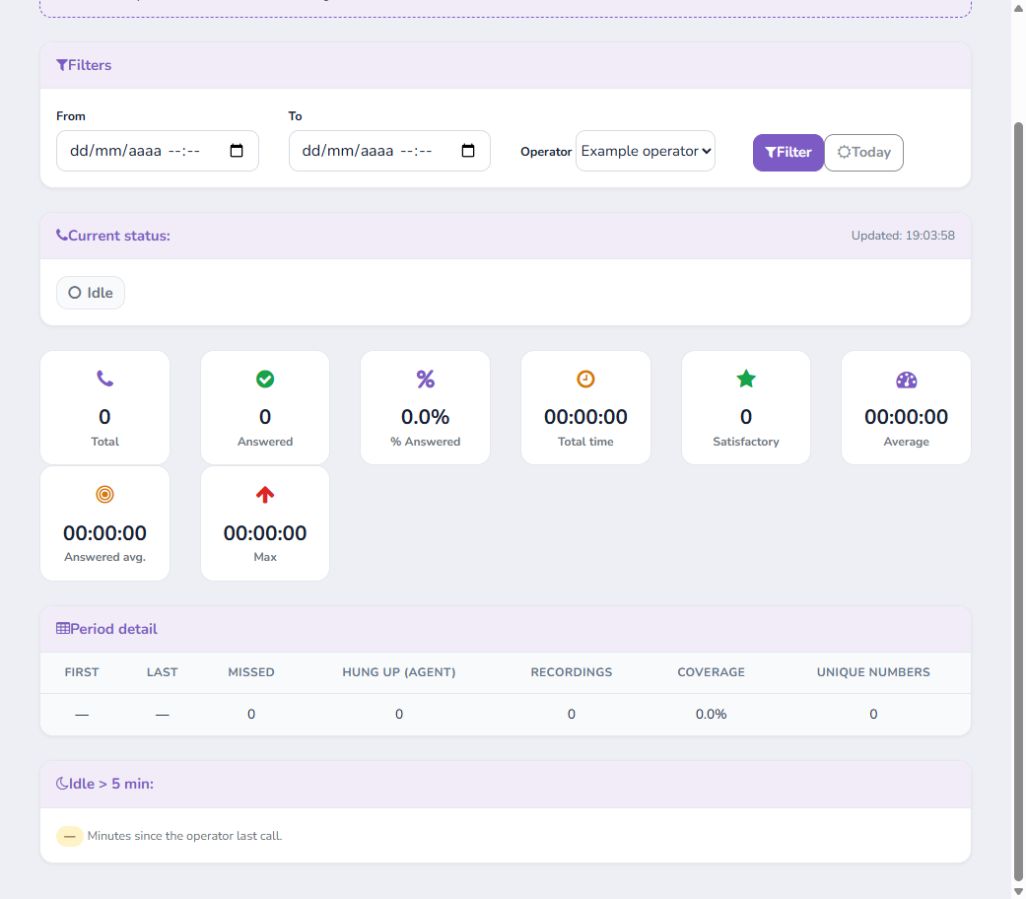
Team · Users and Statistics
How to Manage Users, Profiles, and Operator Statistics
Manage accounts, profile security, and operational indicators.
-
Step 1
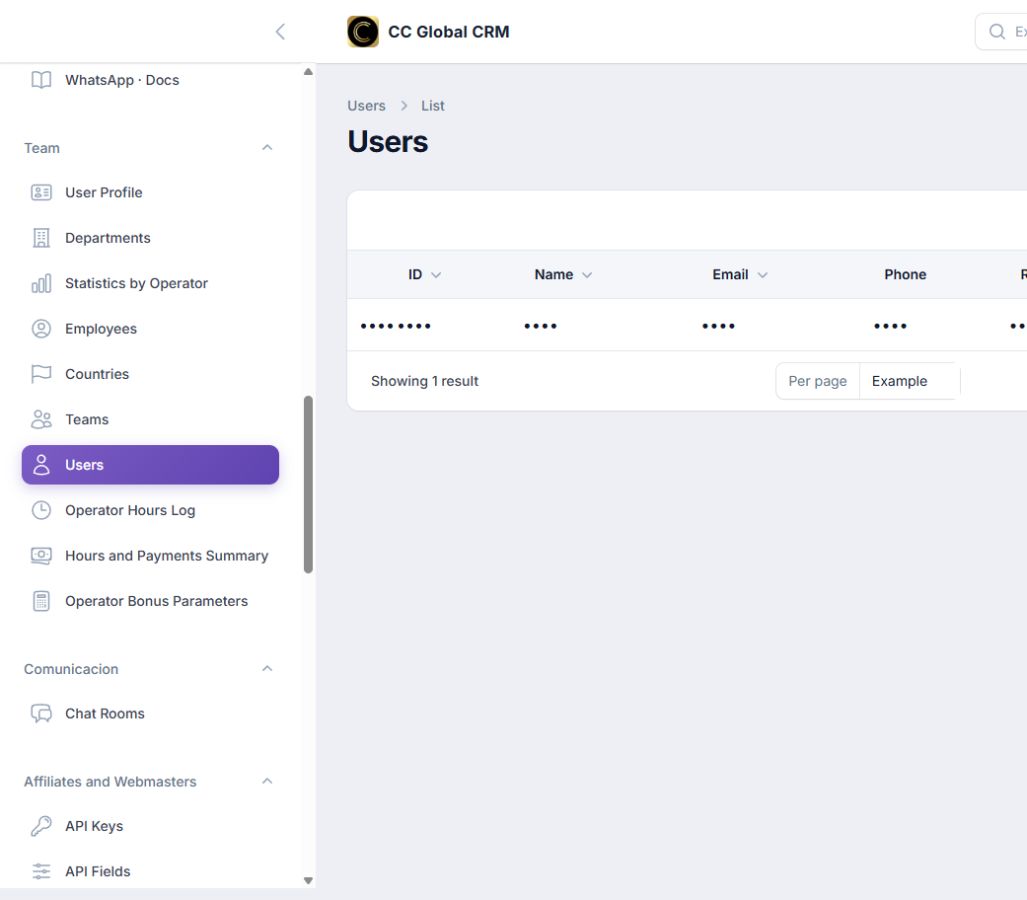
Review Users
Check role and active status before editing an account.
-
Step 2
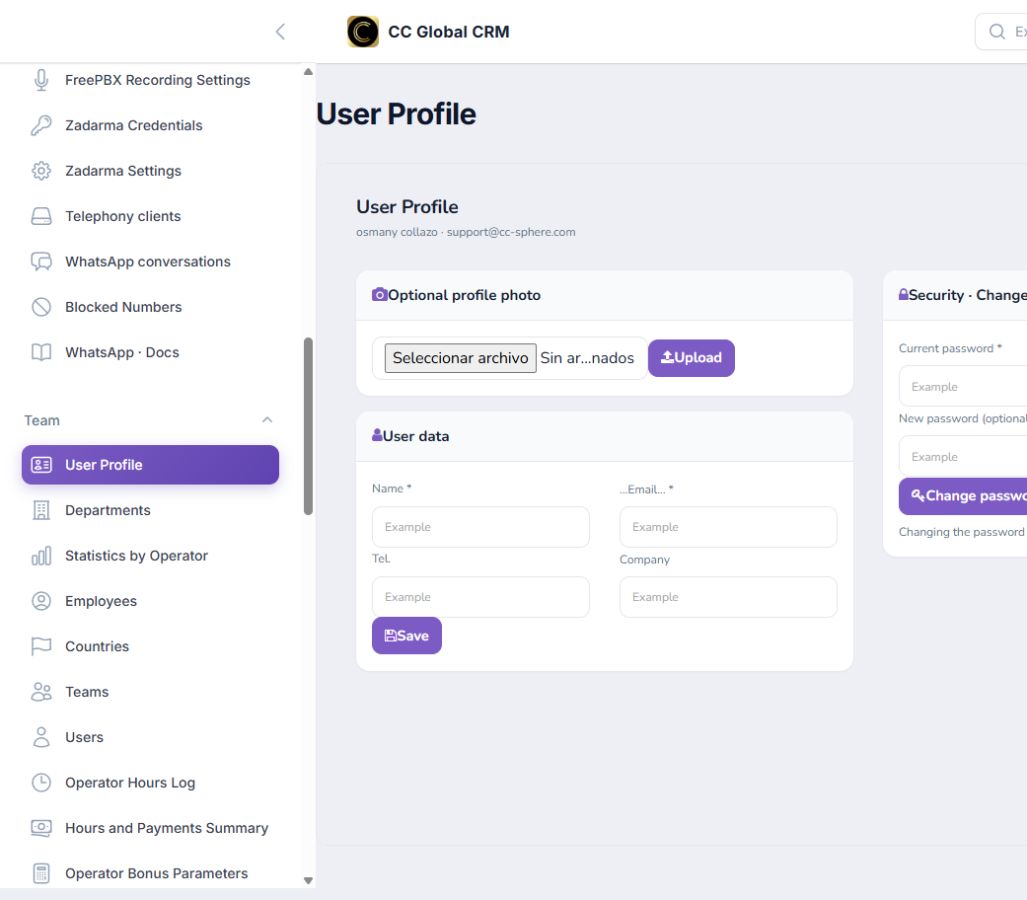
Update Profile
Modify data and password from Security; the change will log you out.
-
Step 3
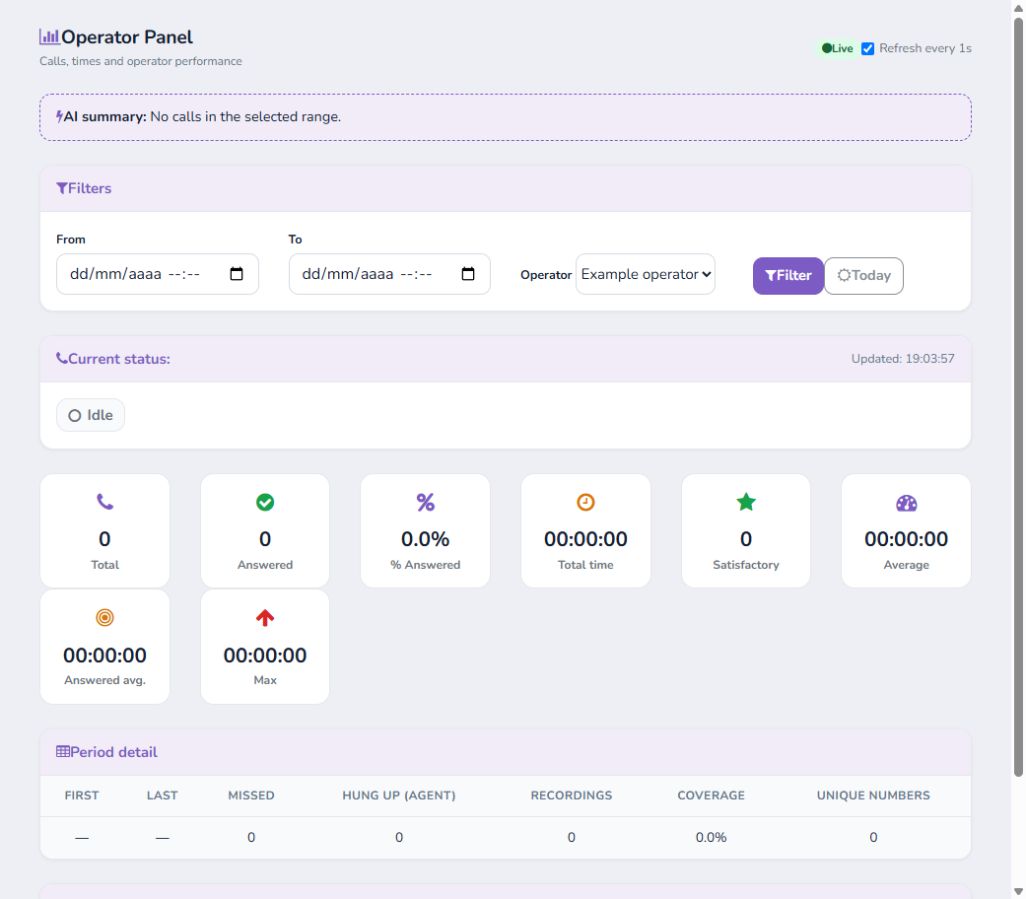
Filter Statistics
Select dates and operator to review calls, coverage, and times.
-
Step 4
Control Live View
Disable automatic updates when not necessary.