
Leads · States and reasons
How to set up states and reasons for leads
Define a clear sales process, control which roles can use each state, and log consistent reasons.
-
Step 1
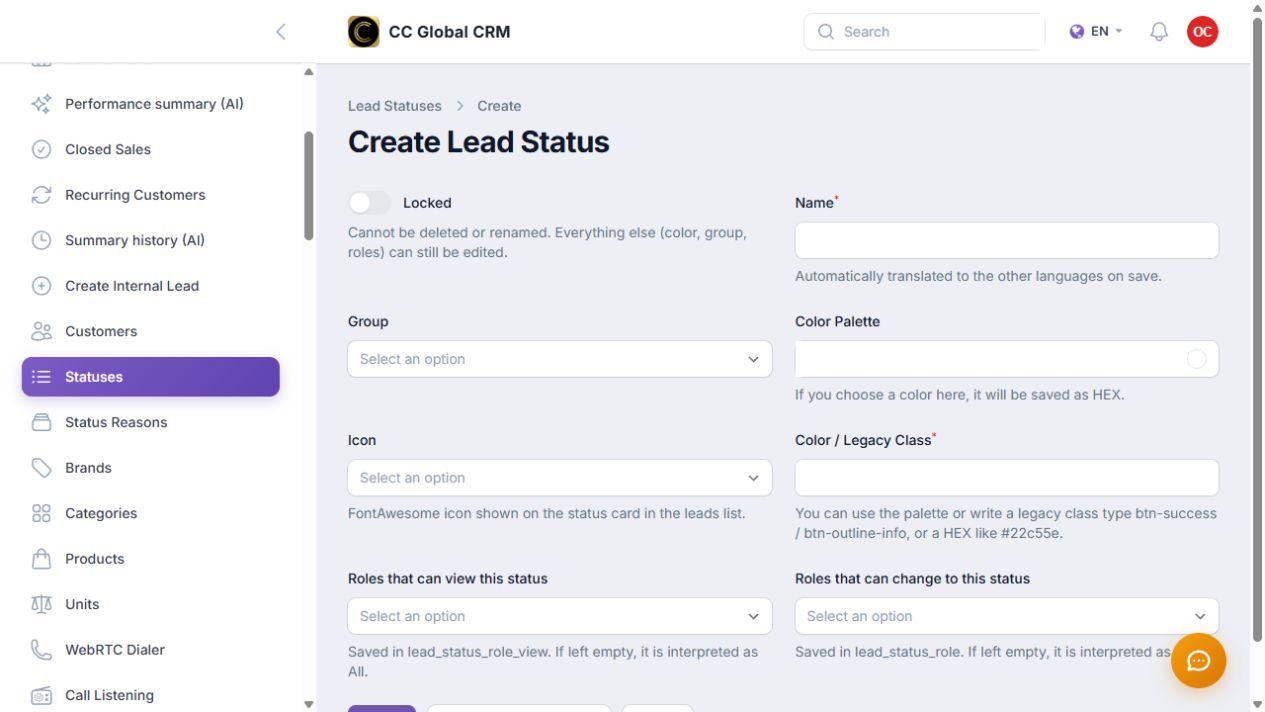
Create and protect states
Create each state with a unique name, logical order, and authorized roles to use it.
-
Step 2
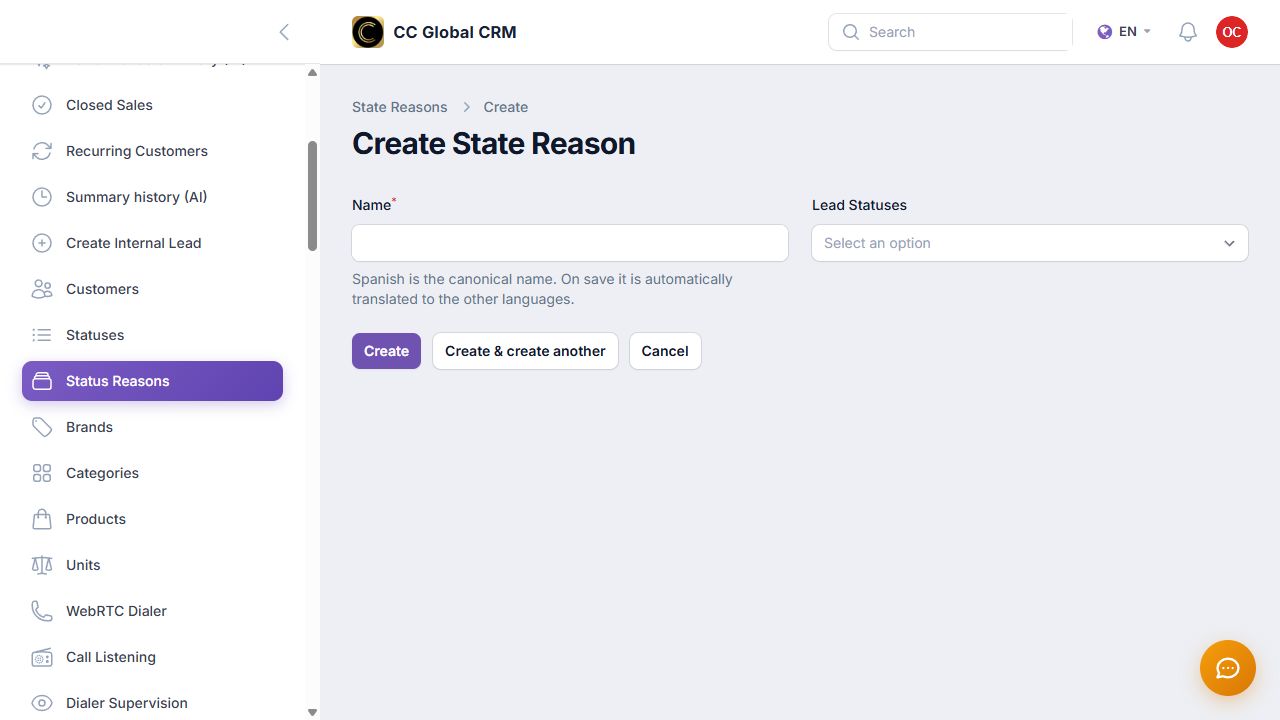
Link reasons to states
Create specific reasons for each state and avoid generic options that complicate analysis.
Design the flow before creating states. Avoid duplicates and don't lock a state until you check its purpose.