
How to control calls, dialer, recordings and listening
Monitor telephony activity, check the dialer panel, locate, play and control recordings from administration.
-
Step 1
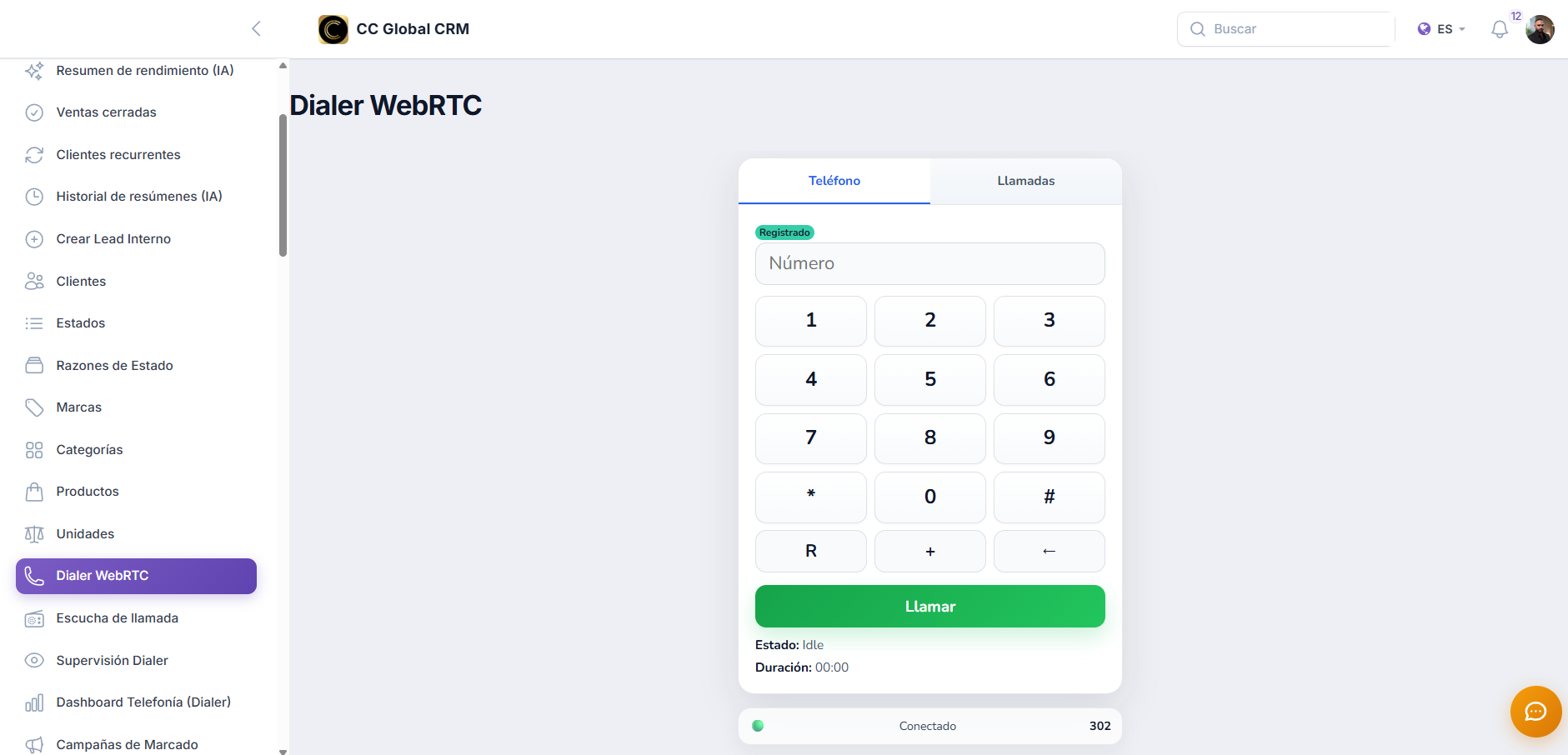
Check the WebRTC Dialer
Open the dialer panel and verify registration, device, status, and availability before starting a session.
-
Step 2
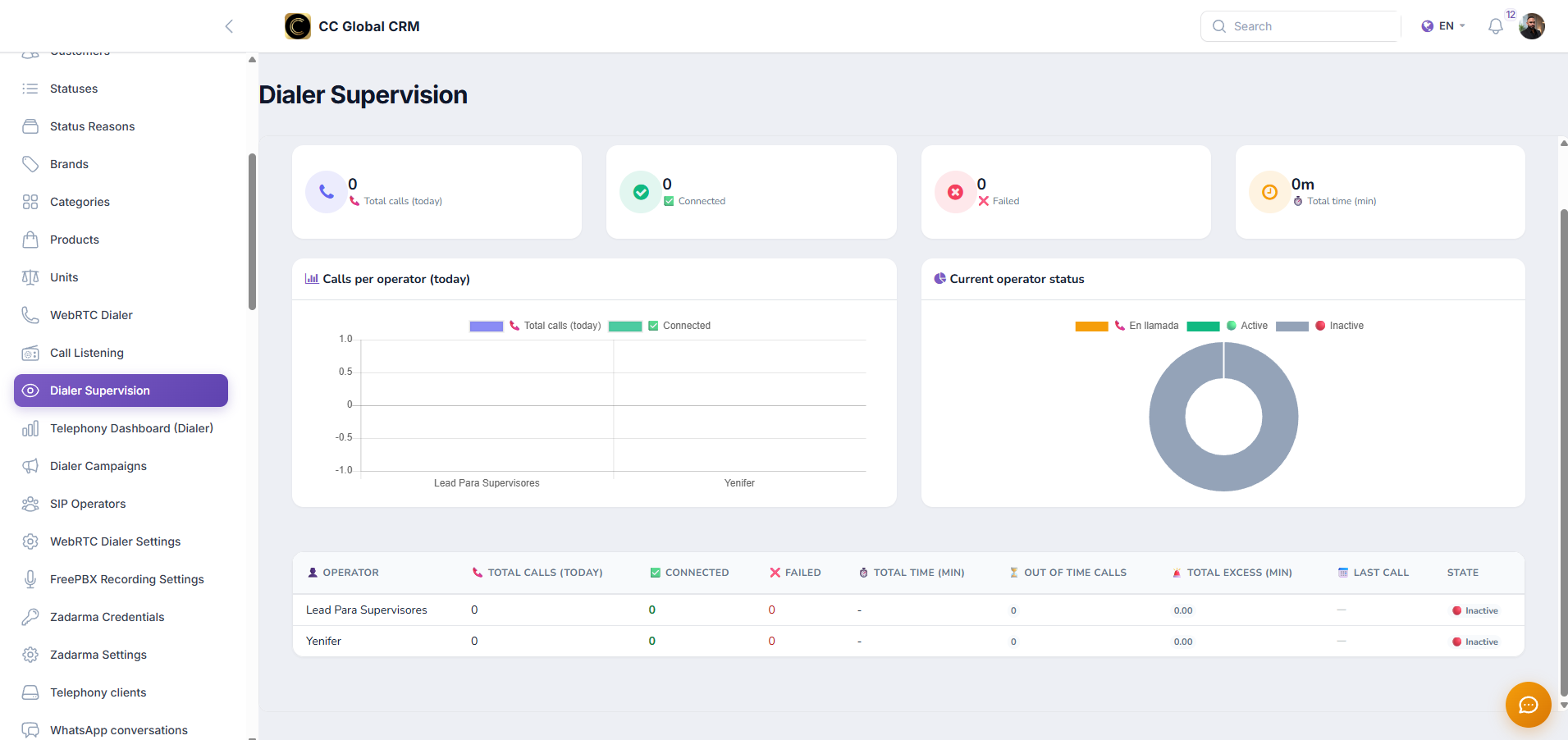
Monitor calls in real-time
Use Dialer Supervision to review active, connected, failed, and duration of calls without unnecessary intervention.
-
Step 3
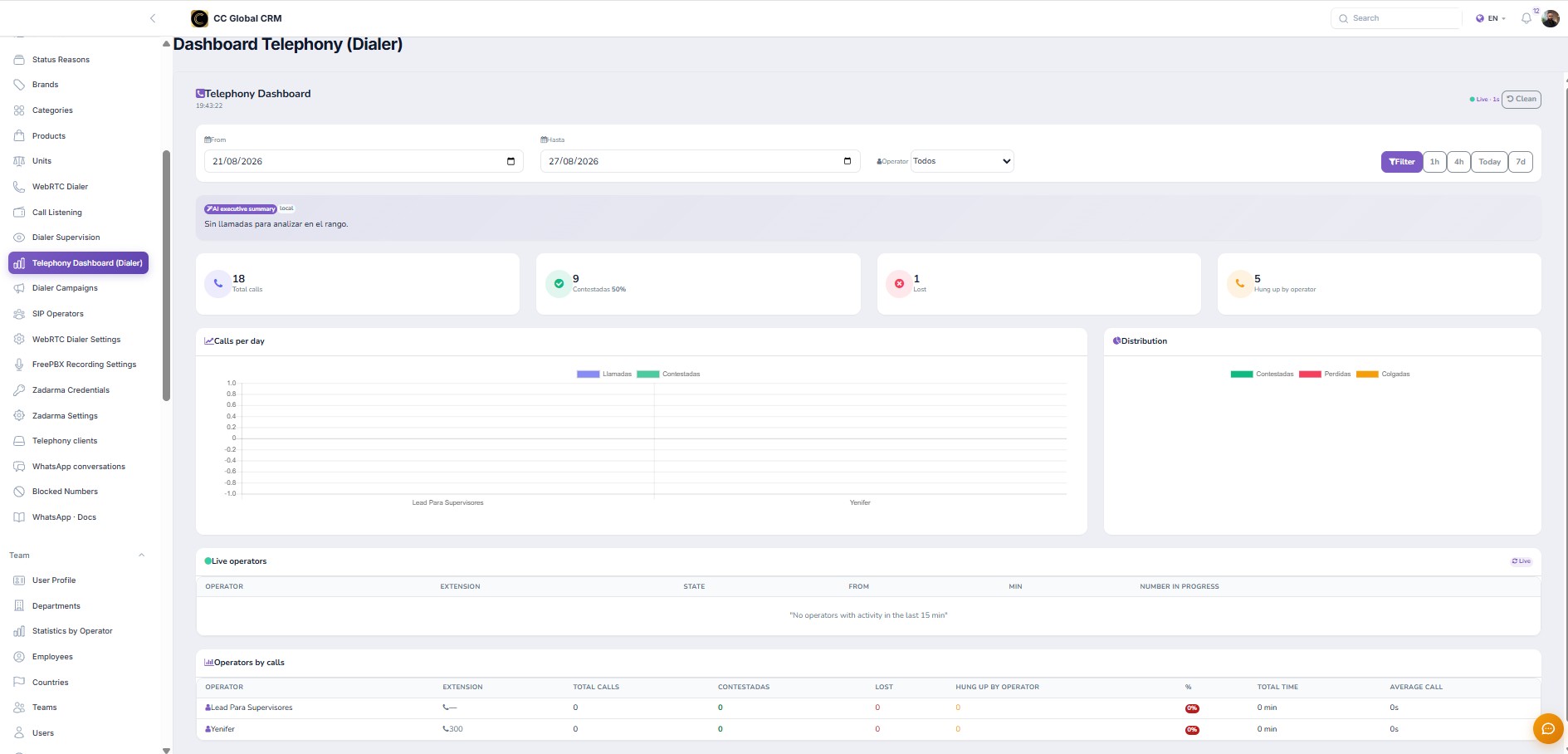
Review the telephone dashboard
Check the dashboard to compare volume, response, coverage, and performance by period.
-
Step 4
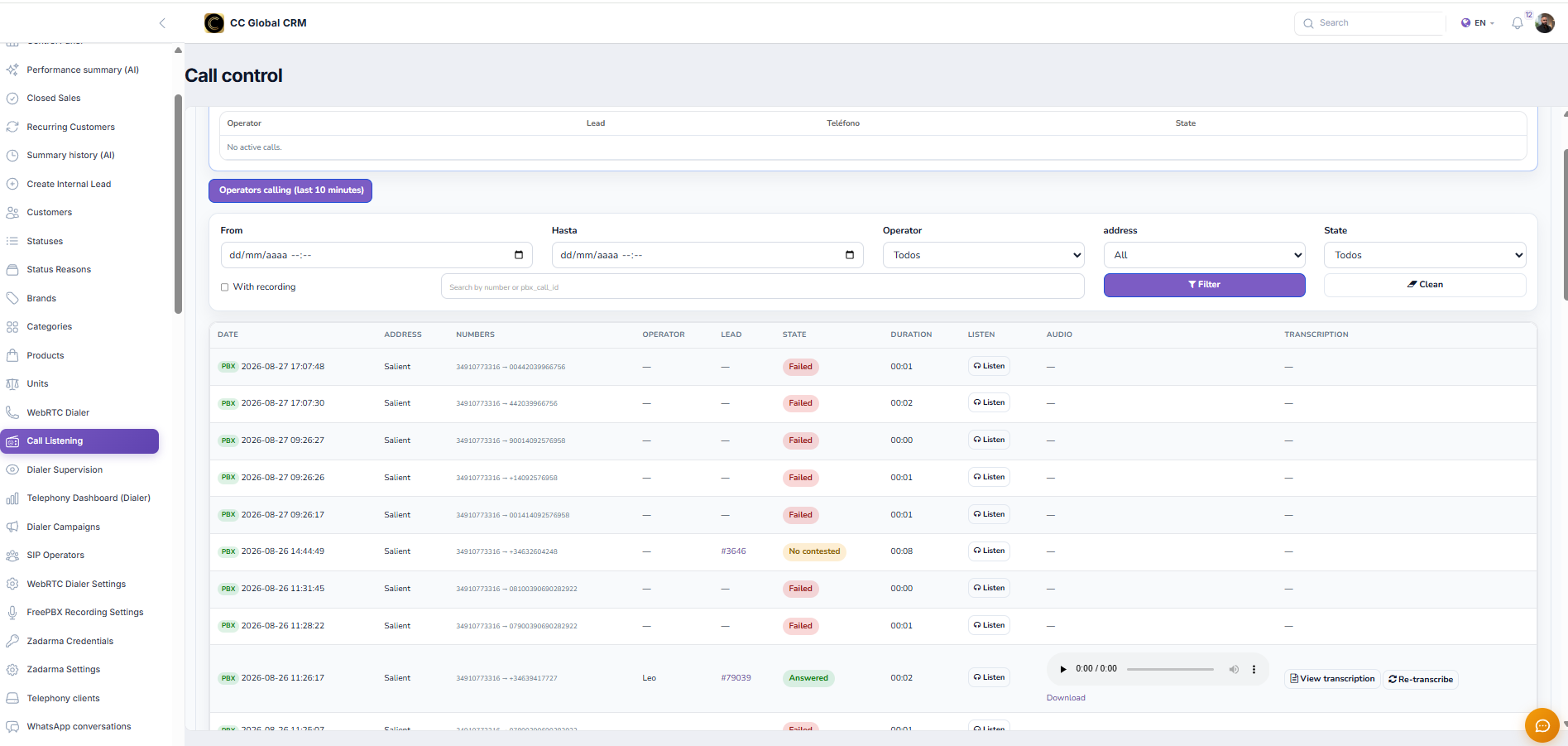
Locate calls and recordings
In Call Listening, filter by dates, operator, direction, status, and recording availability.
-
Step 5
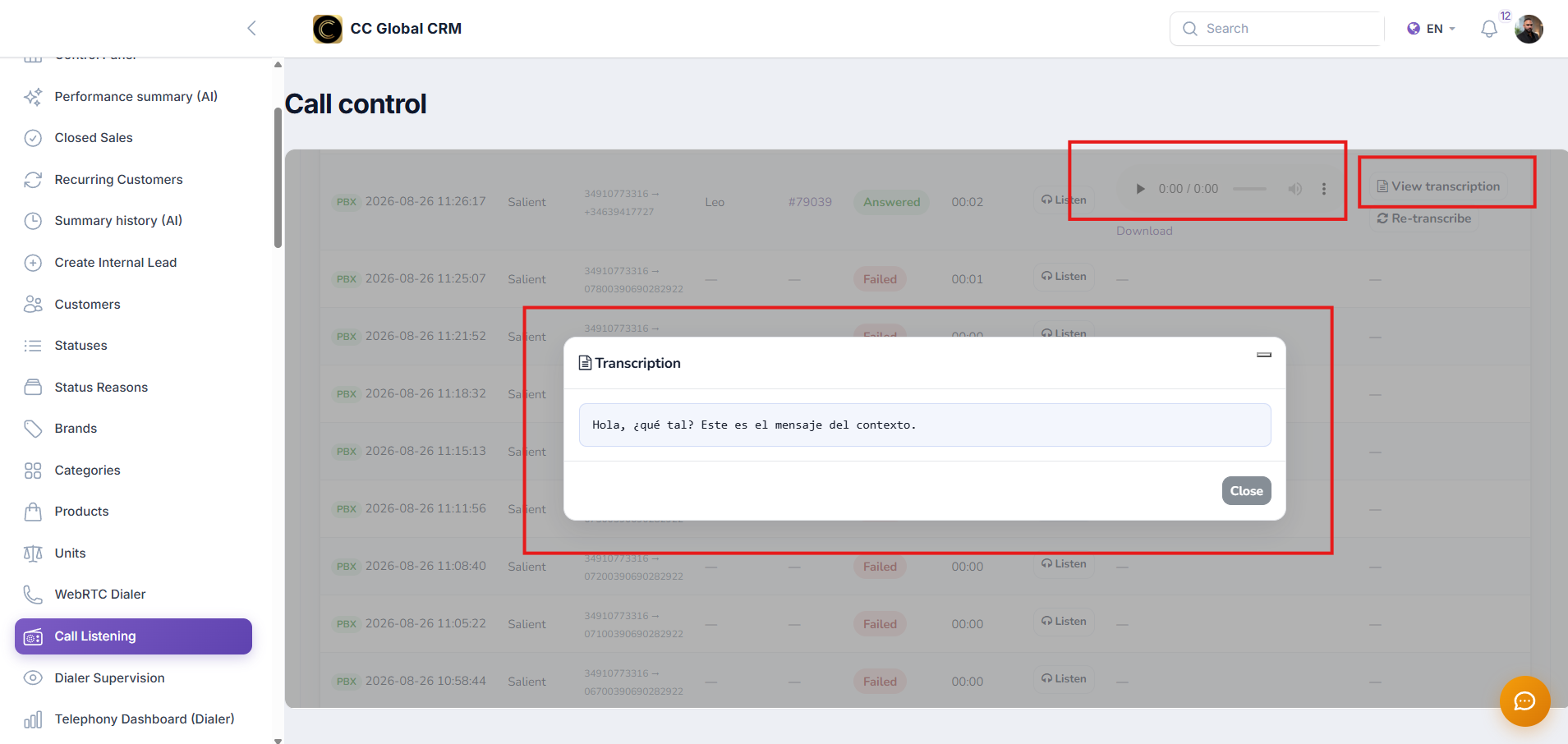
Listen and control a recording
Play only the necessary call, validate its relationship with the lead, and avoid downloading the audio unless authorized.
-
Step 6
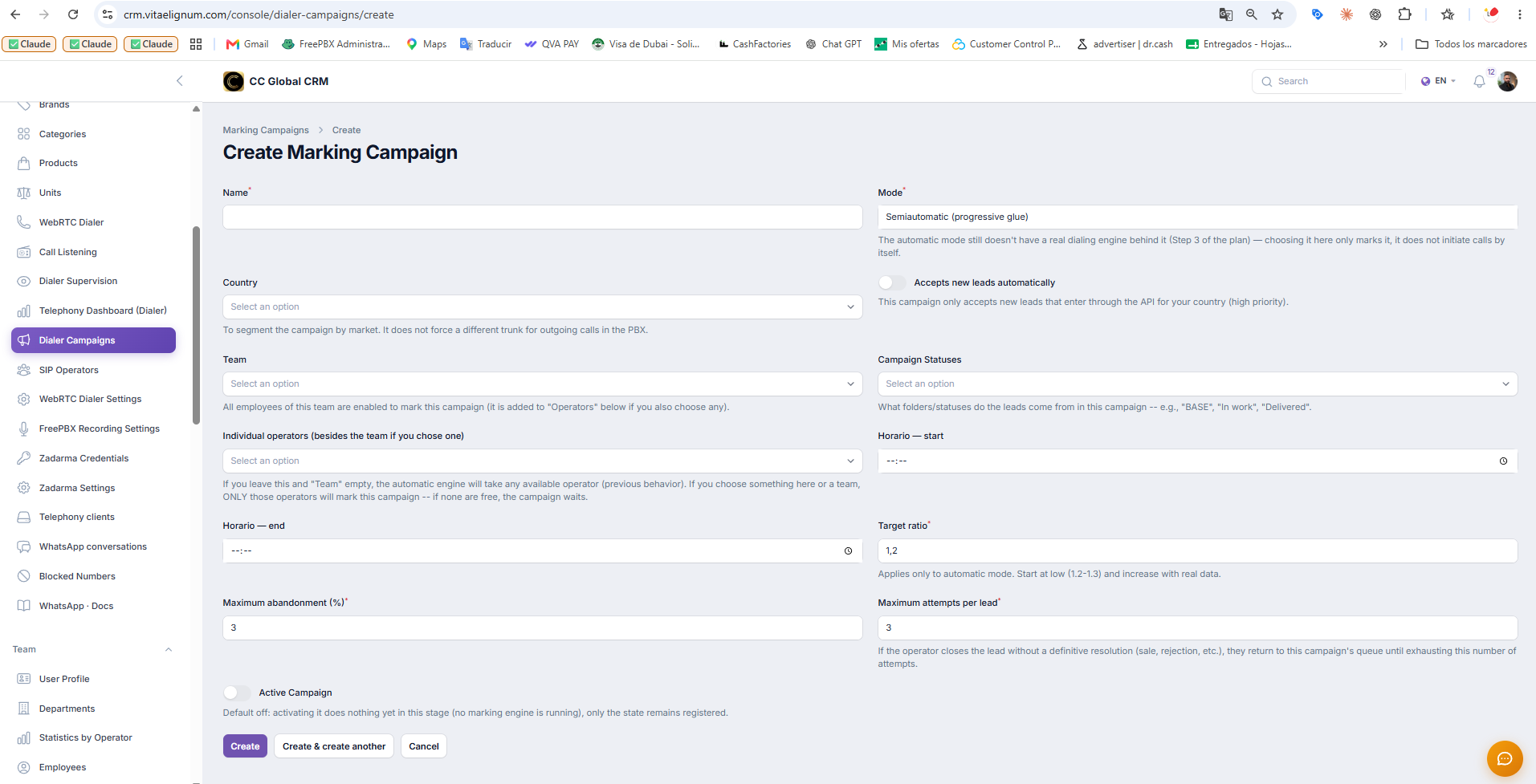
Campaign Creation
Create dialer campaigns, their schedules, attempts, teams, and statuses to correctly interpret metrics.
Recordings may contain personal data. Limit access by role, log the reason for listening, and respect applicable retention periods.