
How to work from the operator panel
Navigate the daily operator panel: objectives, statistics, assigned leads, and calls from the WebRTC dialer.
-
Step 1
Review your panel and objectives
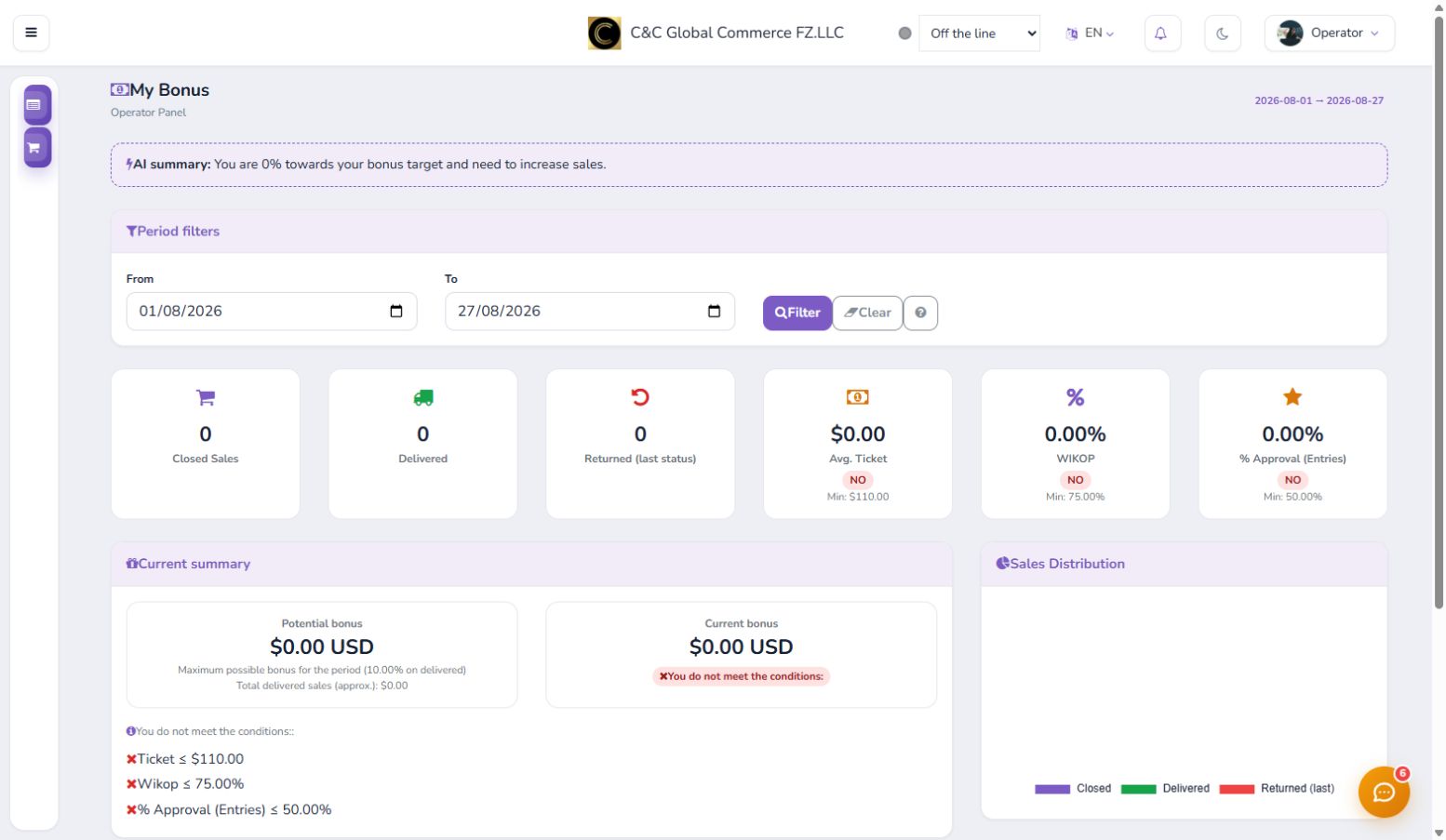
Start your shift in the operator panel. Select the period and review closed sales, deliveries, returns, average ticket, WIKOP, and bonus progress.
-
Step 2
Control your statistics
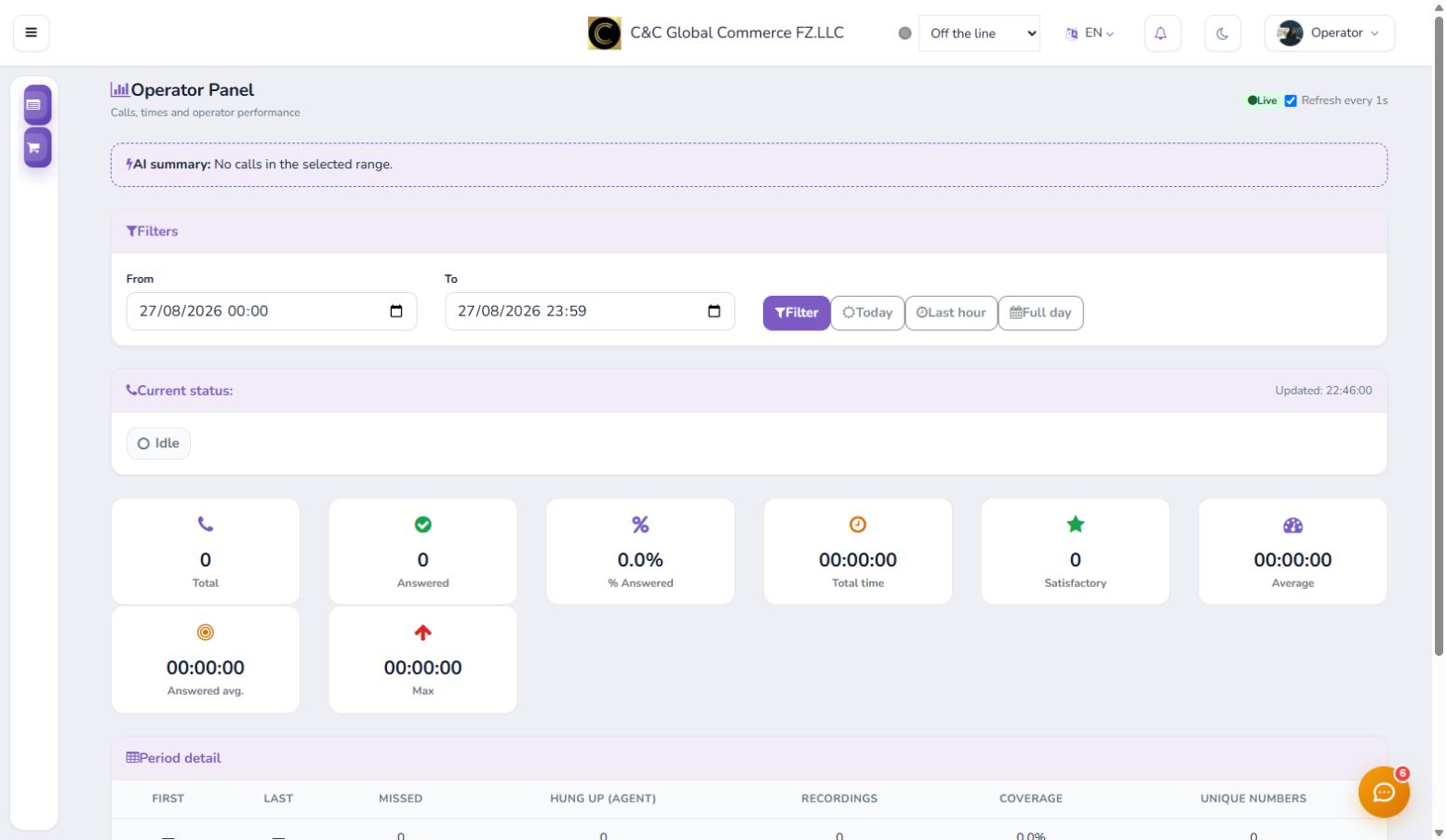
Check your current status and filter by today, last hour, or full day. Verify total calls, answered, time, average, recordings, and coverage.
-
Step 3
Prioritize assigned leads
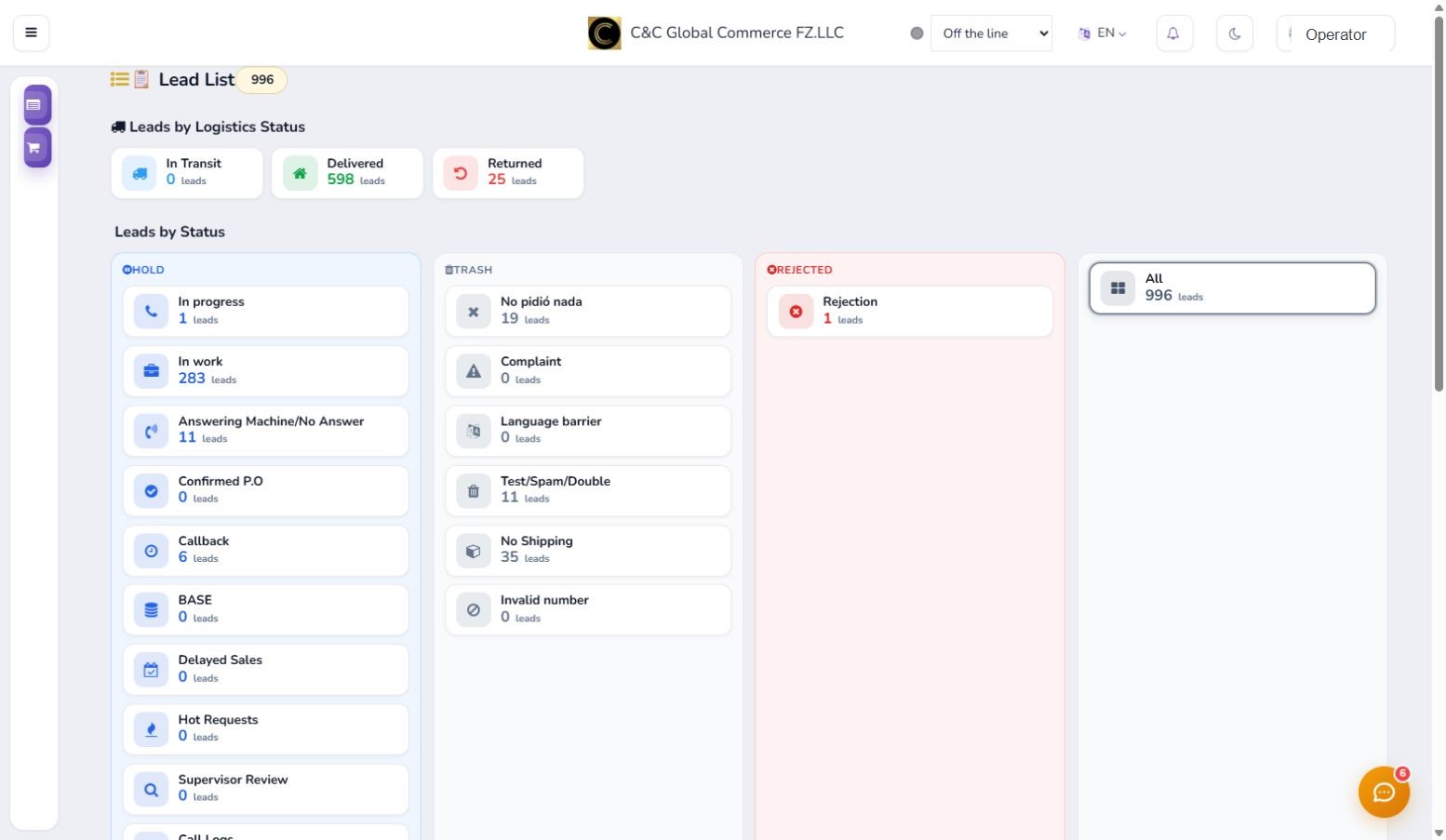
The leads view organizes work by commercial and logistical status. Enter first into priority groups and update the status after each management.
-
Step 4
Make calls with the dialer
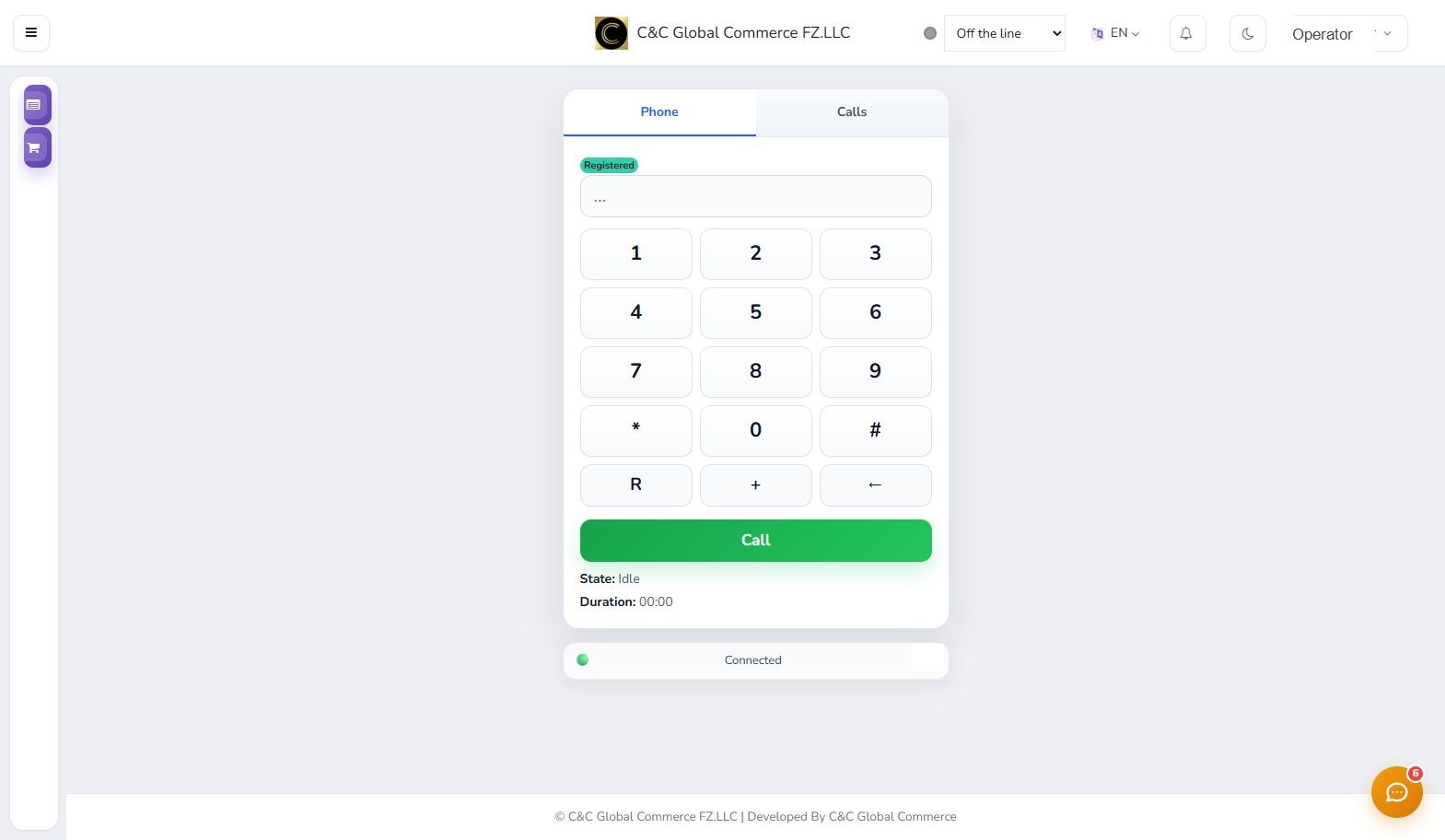
Confirm that the phone appears registered and connected. Enter the number, press Call, and use the Calls tab to review recent activity.
Keep your status available only during the shift and confirm the correct lead before starting a call.