
How to handle leads from administration: statuses, card, WhatsApp and chat rooms
Manage the complete lead cycle from the list to the conversation, status change, and internal coordination.
-
Step 1
Review the list and indicators
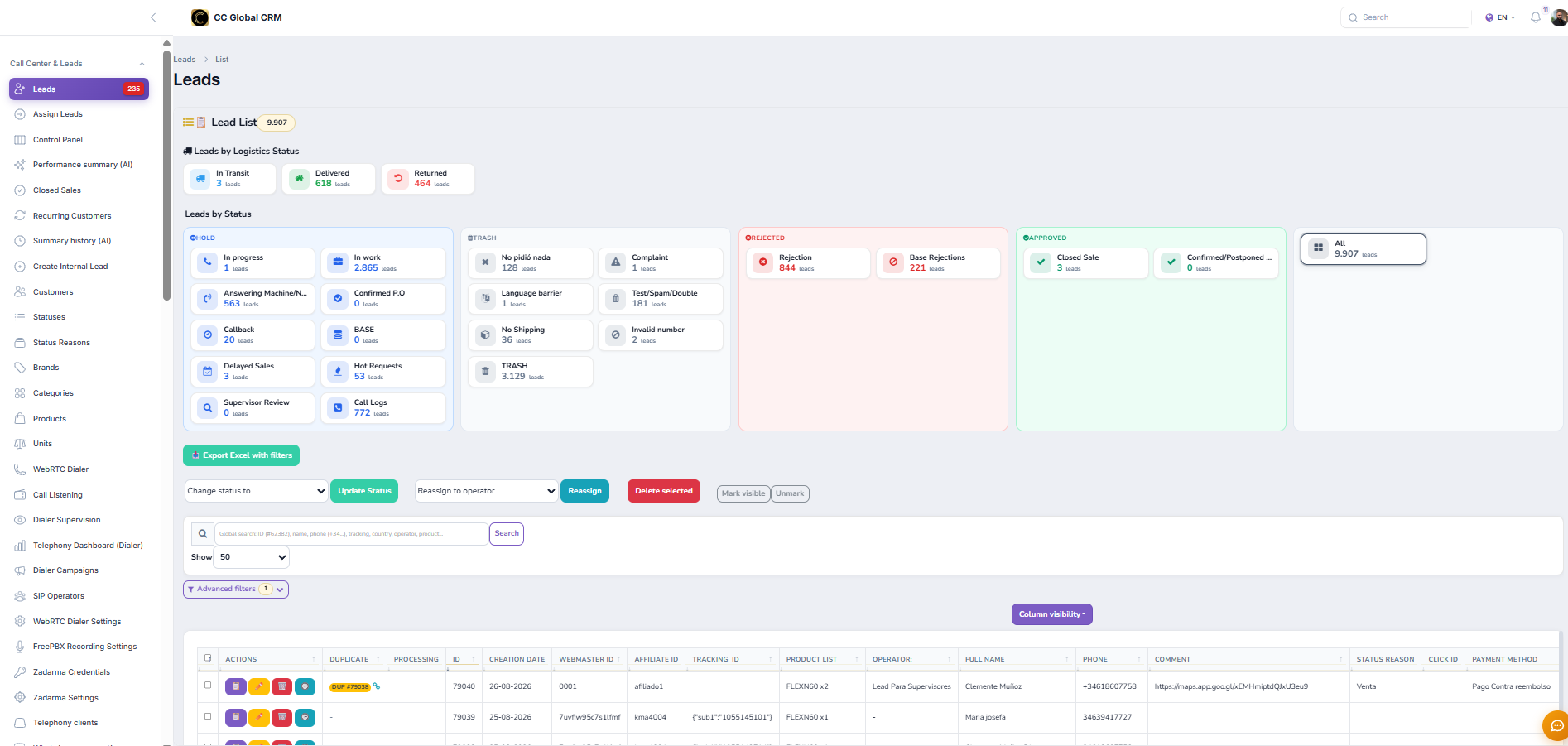
Open Leads, use the status, logistics, product, operator, and date filters, and review the indicators before opening a record.
-
Step 2
Understand statuses and reasons
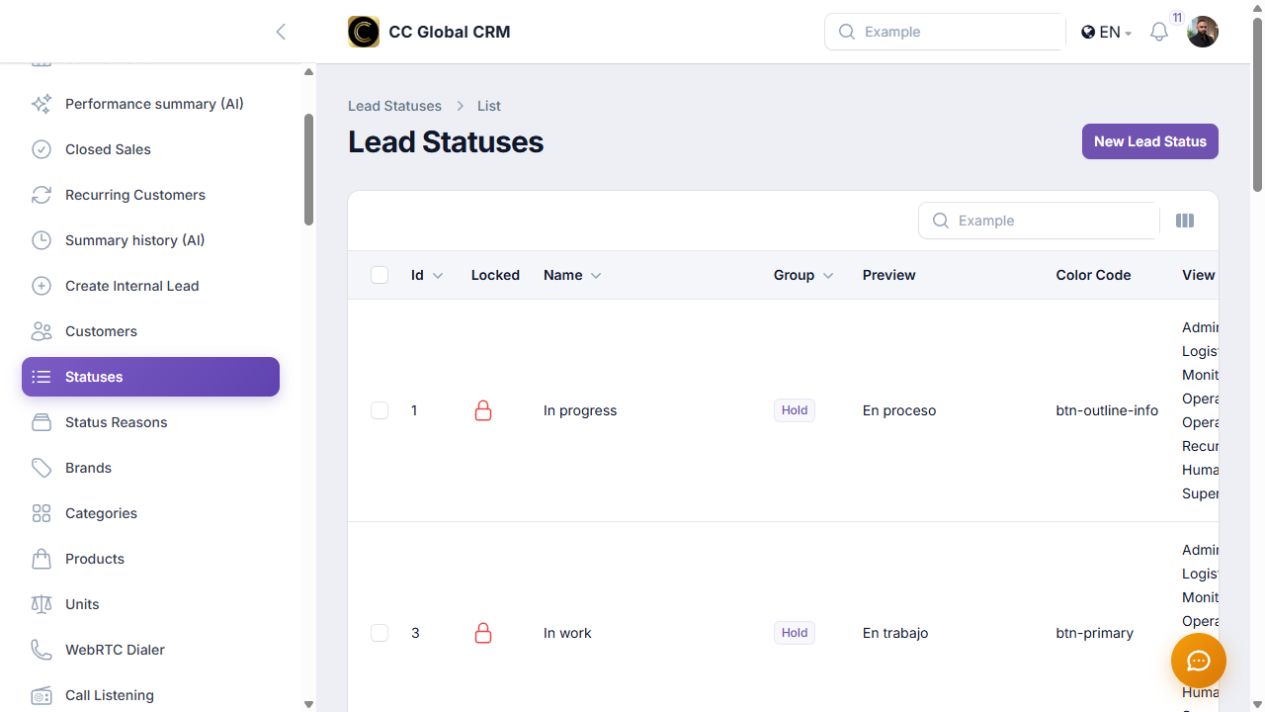
Check Statuses and Status Reasons. Apply the status that represents the real situation and log a specific reason when appropriate.
-
Step 3
Open and review the lead card
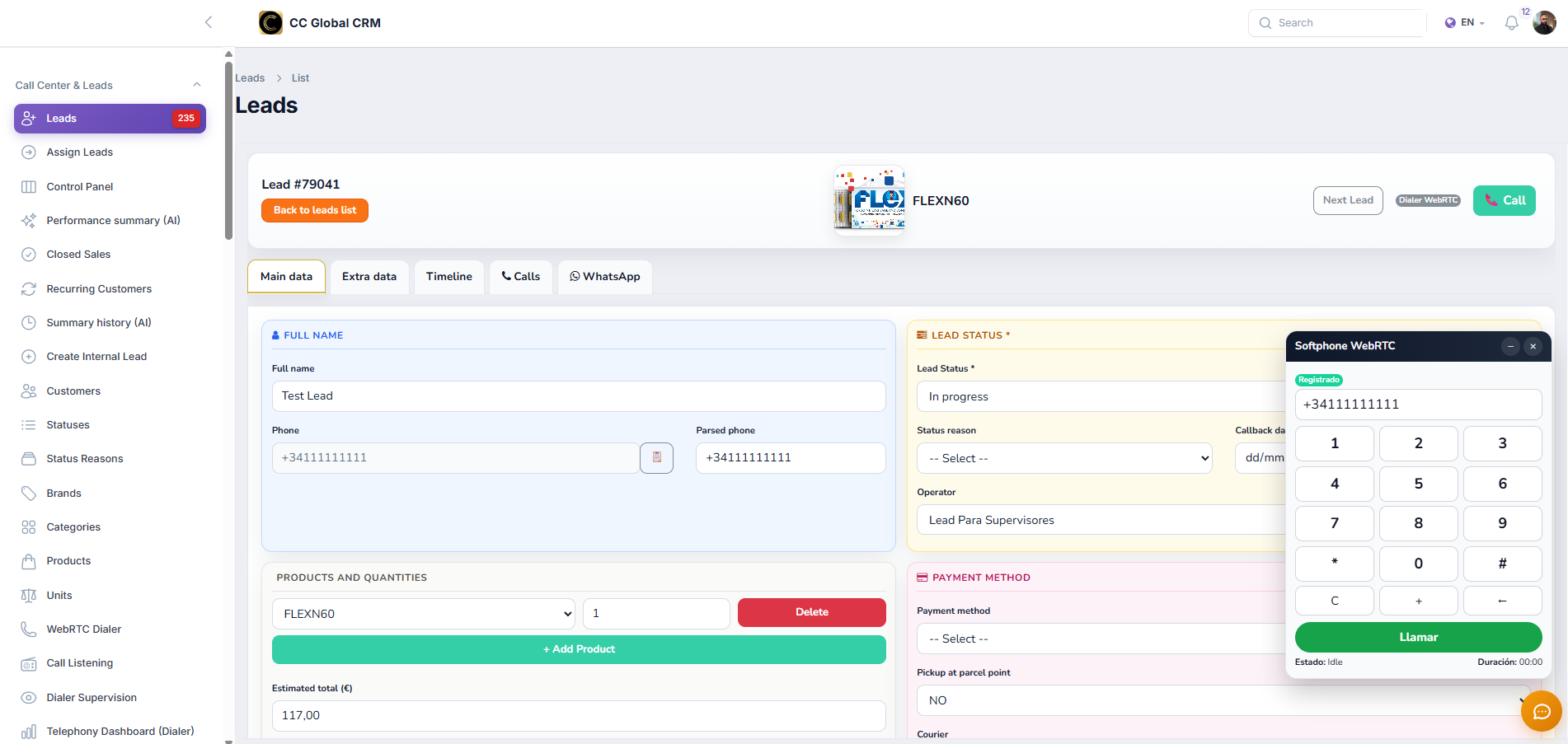
Go to the individual view and check Main data, Extra data, Timeline, and Calls before modifying the record.
-
Step 4
Handle from the WhatsApp tab
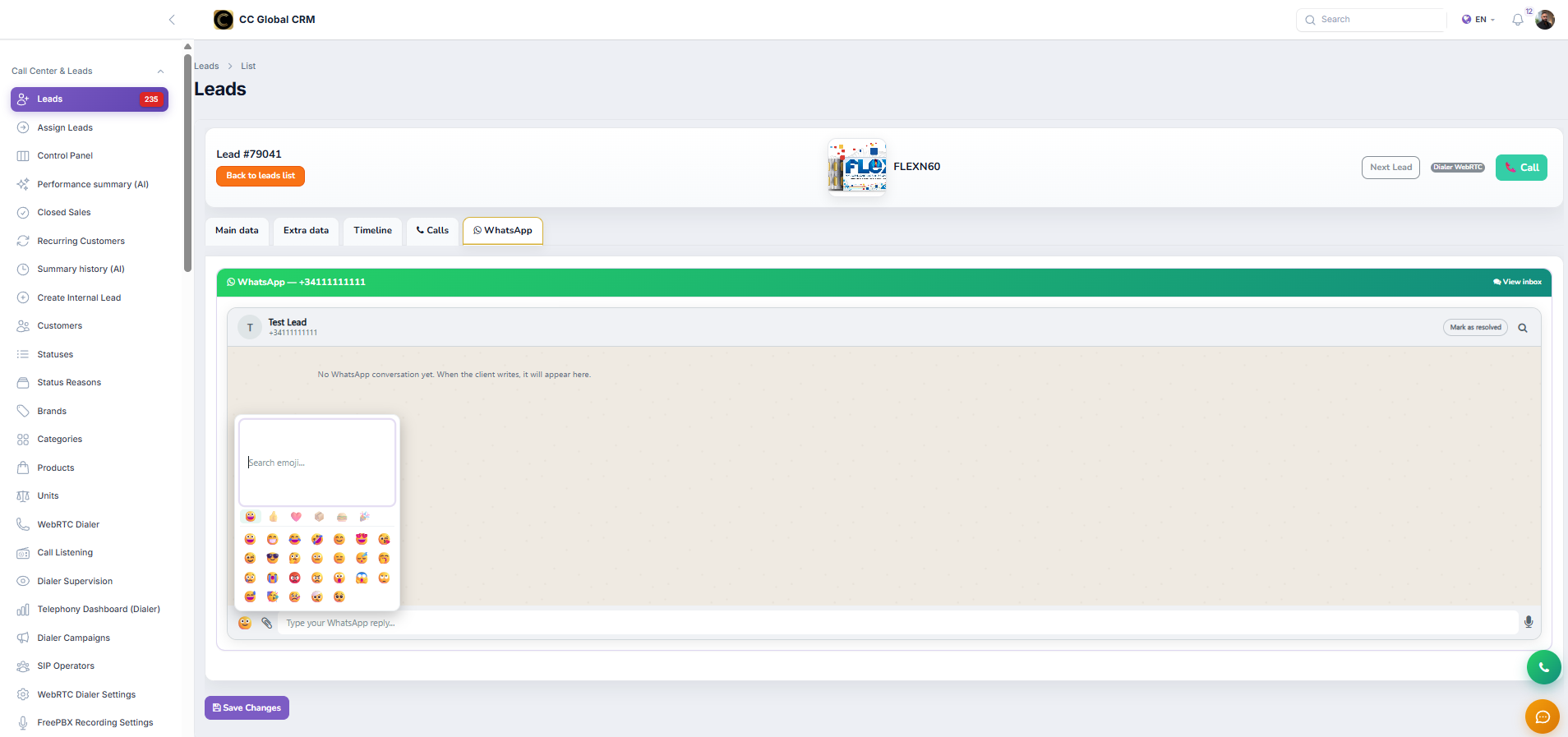
Open the WhatsApp tab of the card to view the associated conversation and respond from the correct context of the lead.
-
Step 5
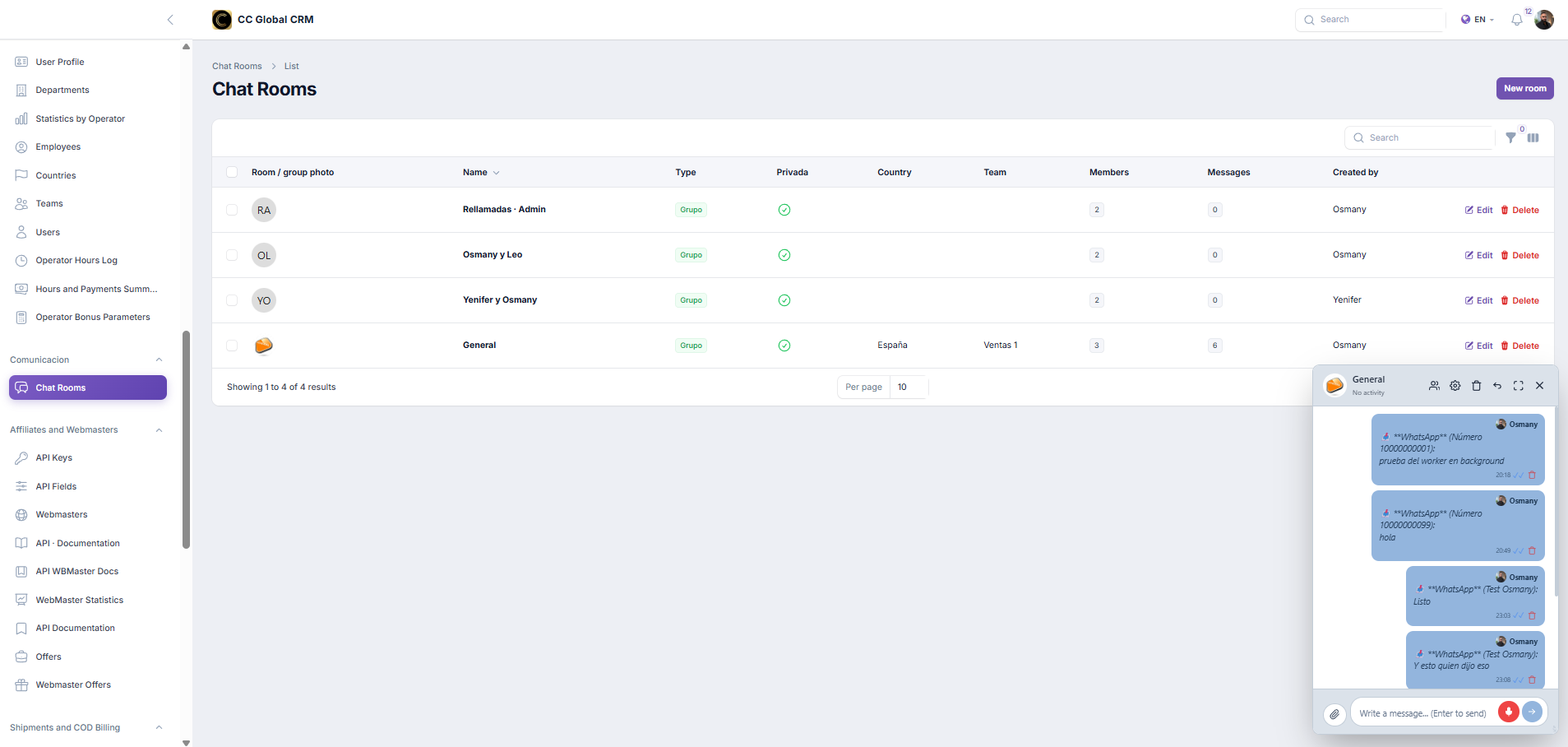
Coordinate work in chat rooms
Use Chat Rooms to separate coordination by team, campaign, or incident without copying unnecessary sensitive data.
-
Step 6
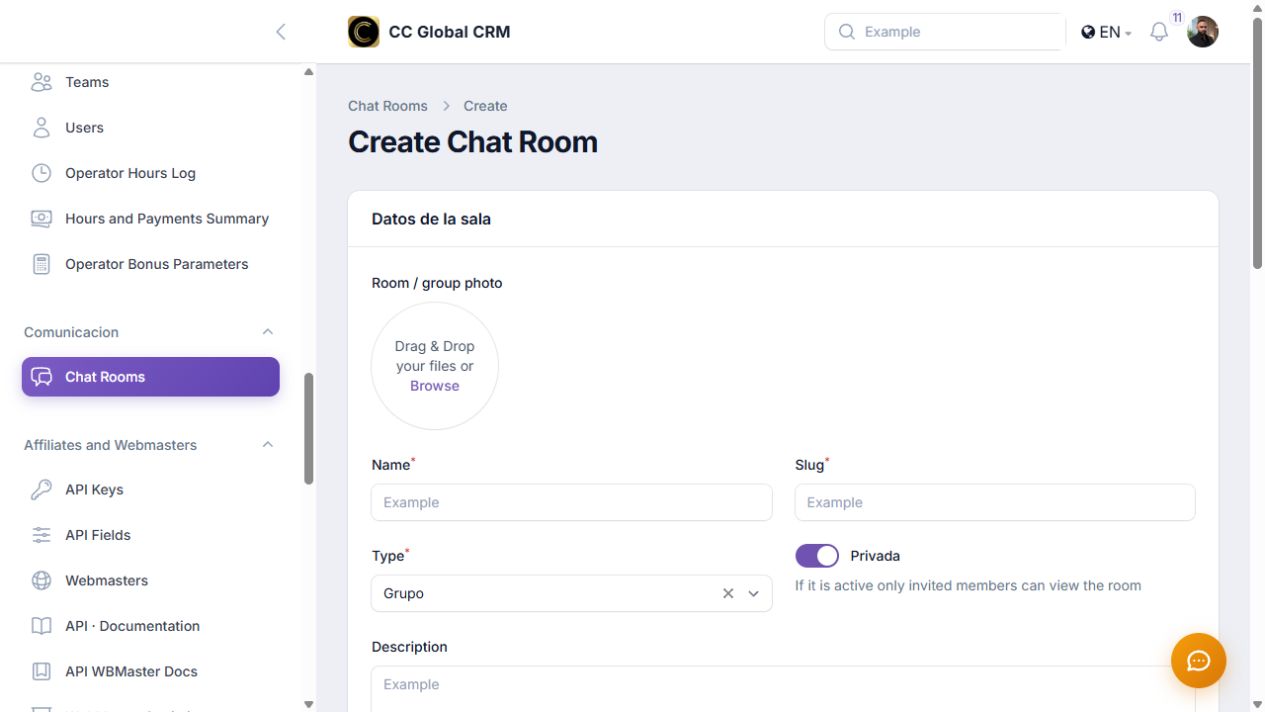
Create and maintain a room
Create the room with a clear name, select authorized participants, and regularly check that access remains necessary.
-
Step 7
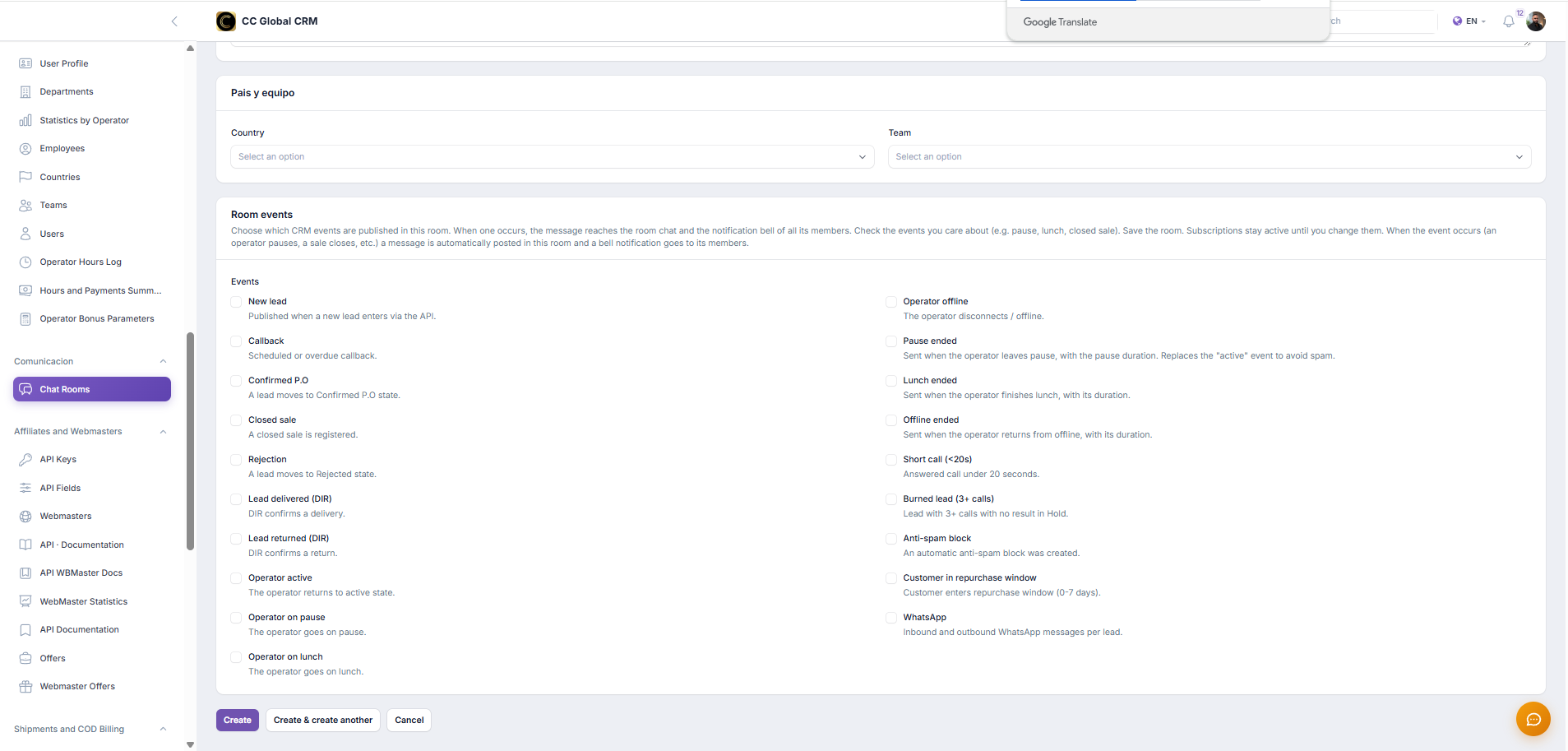
Room events
Choose which CRM events to publish in this room. When one occurs, the message will reach the room chat and the notification campaign of all its members. Mark the events that interest you (e.g., pause, lunch, closed sale). Save the room. Subscriptions remain active until you change them. When the event occurs (an operator goes on pause, a sale is closed, etc.), a message is automatically published in this room and a notification to its members.
-
Step 8
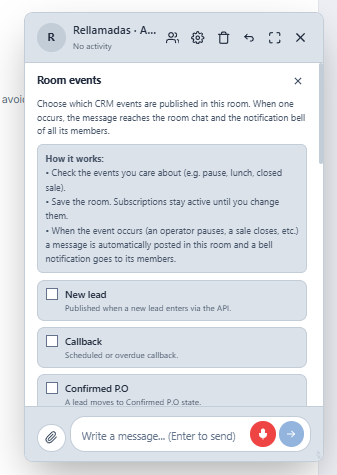
Room events
How it works: • Mark the events that interest you (e.g., pause, lunch, closed sale). • Save the room. Subscriptions remain active until you change them. • When the event occurs (an operator goes on pause, a sale is closed, etc.), a message is automatically published in this room and a notification to its members
Use test data for training. Do not share phone numbers, addresses, conversations, or customer medical or commercial information.