
Leads · Importation and control
How to import, organize, and monitor leads
Upload leads from Excel or CSV, review their status, and control their distribution among operators.
-
Step 1
Prepare and import the file
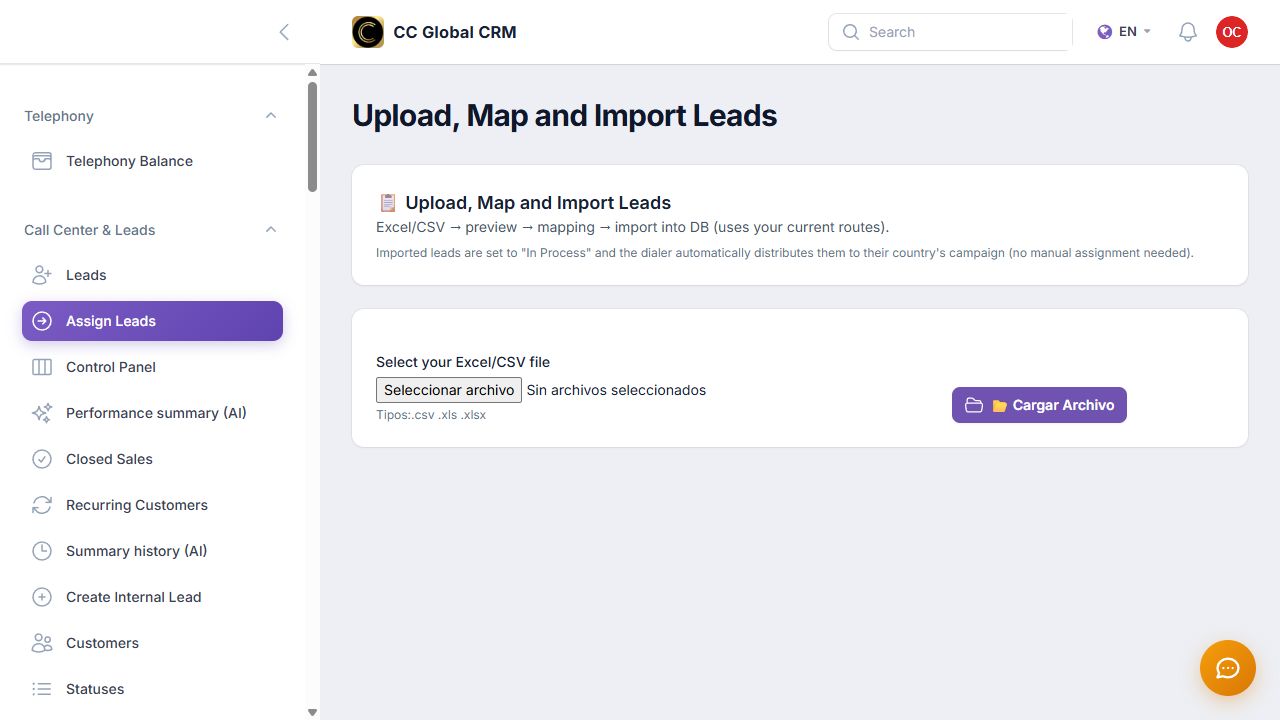
Open «Assign Leads», select an Excel or CSV file, review the preview, and link each column with the correct field before importing.
-
Step 2
Review and filter the list of leads
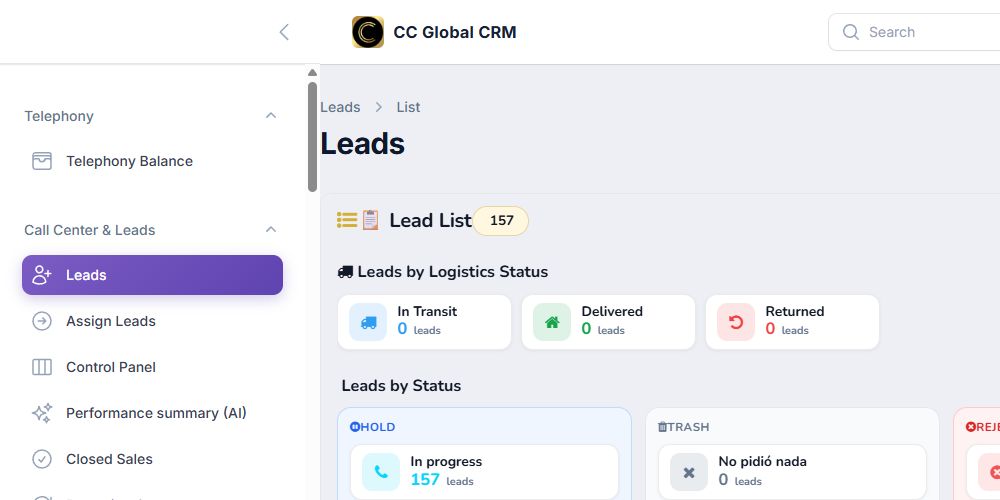
Open «Leads» and use the status, country, product, operator, and date filters. Configure the visible columns to focus on operational data.
-
Step 3
Monitor assignment and performance
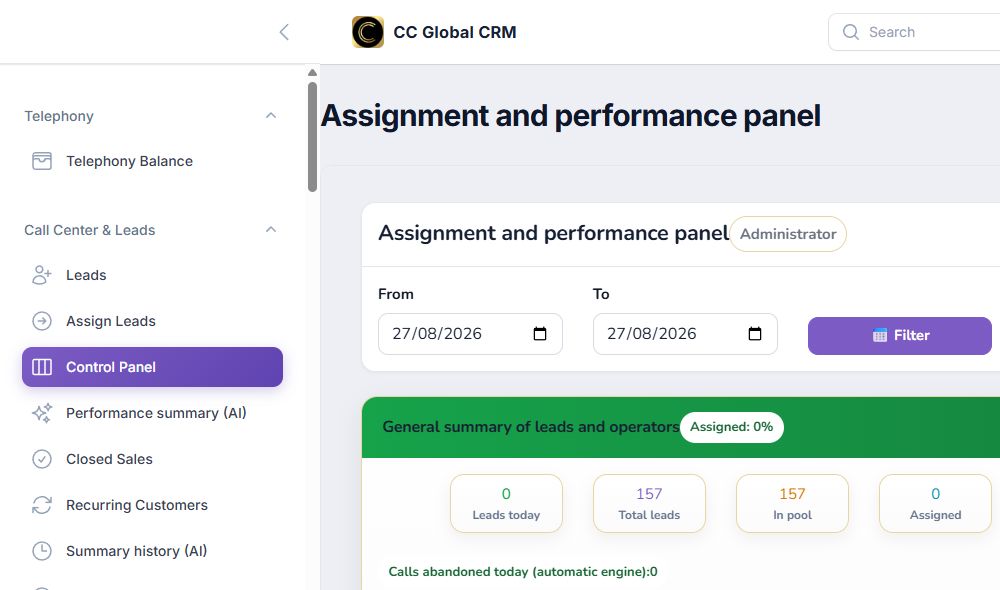
In «Control Panel», review the distribution, statuses, and performance by operator. Investigate any unassigned volume before starting a campaign.
Before importing, verify the phone format, country, and required columns. Perform a small test first to confirm the mapping.