
Administration · Access to the panel
How to configure panel access by role
Control what roles can access the panel and which interface they use.
-
Step 1
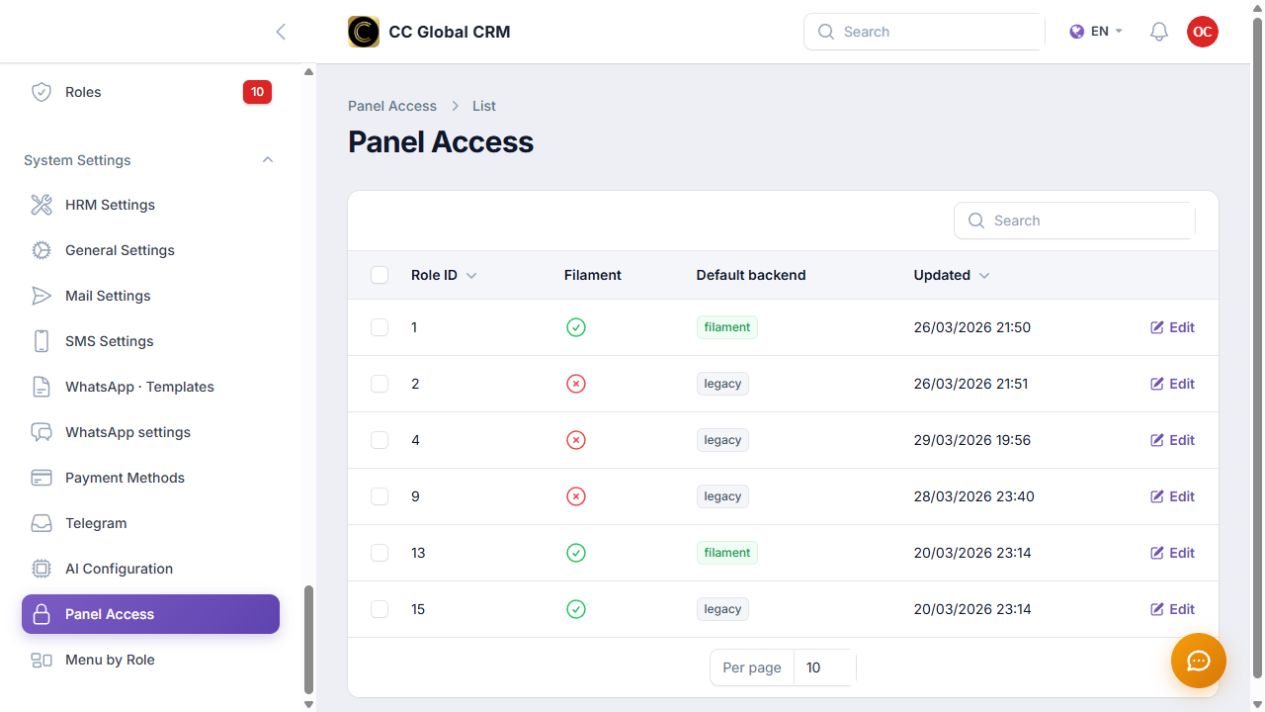
Review each role's access
Check if each role can access the panel and what their default backend is.
-
Step 2
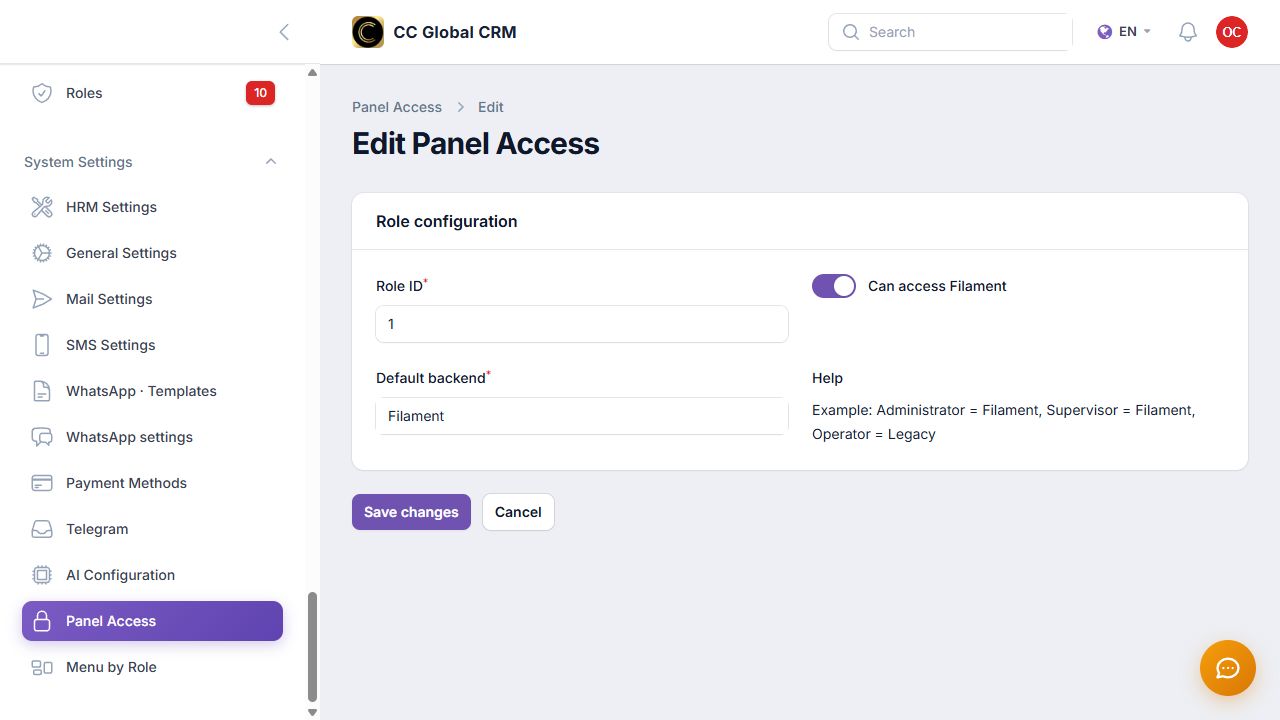
Choose and verify the panel
Select Filament or Legacy, save, and test with a non-critical privileges account.
Always keep an administrator with full access.