Leads · Assignment and internal entry
How to import, distribute, and create internal leads
Map files, confirm automatic distribution, and create internal records.
-
Step 1
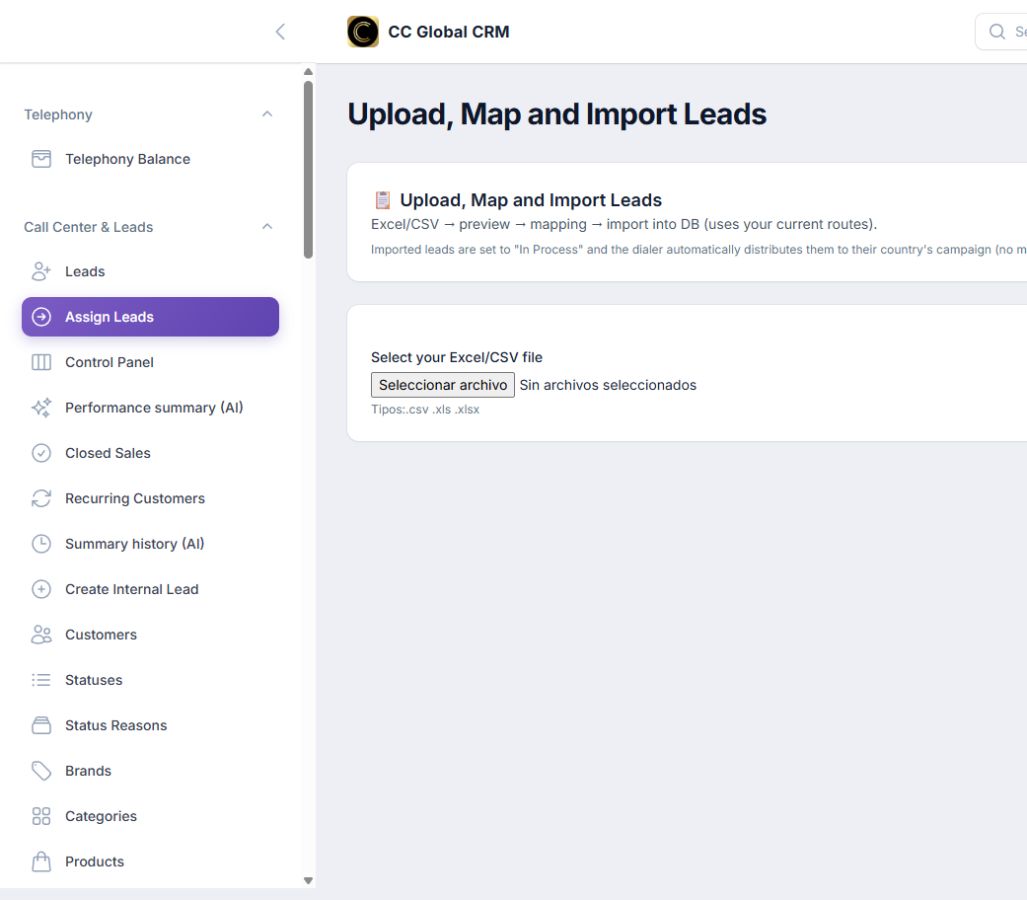
Upload and map the file
Select Excel or CSV, review the preview, and link each column.
-
Step 2
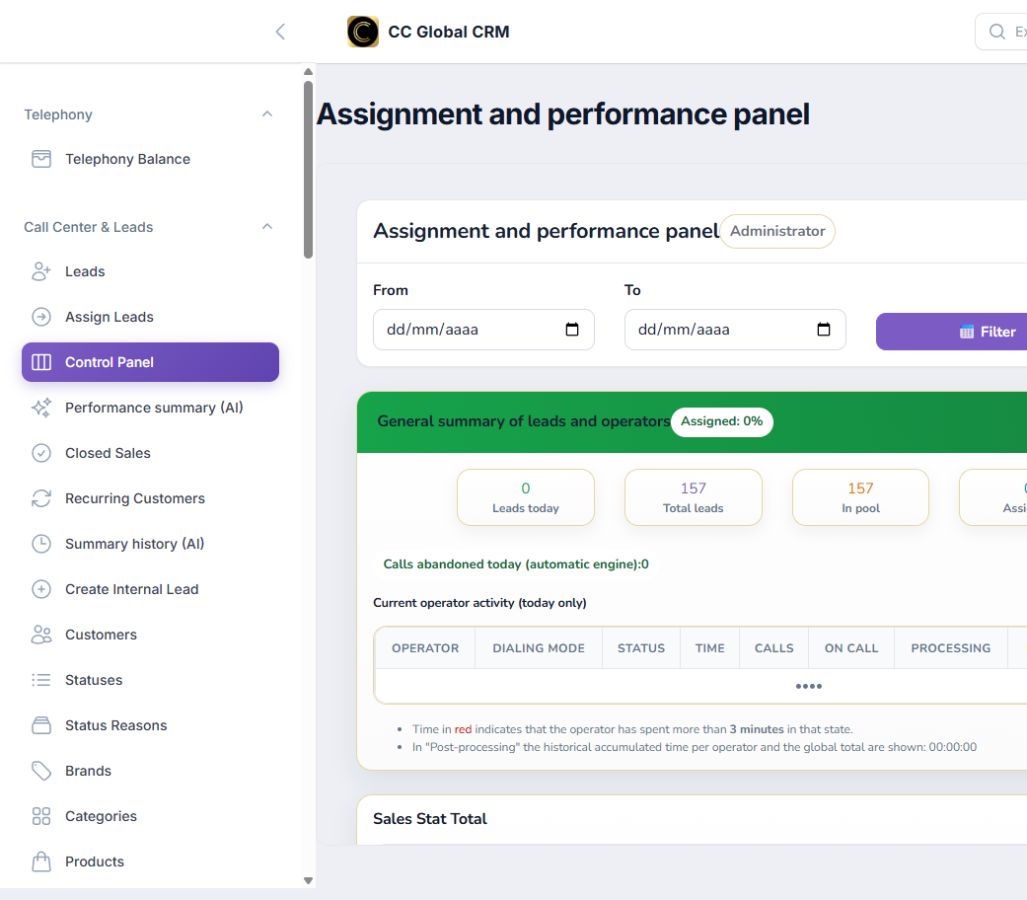
Confirm distribution
Check that leads enter In Process and move to their country's campaign.
-
Step 3
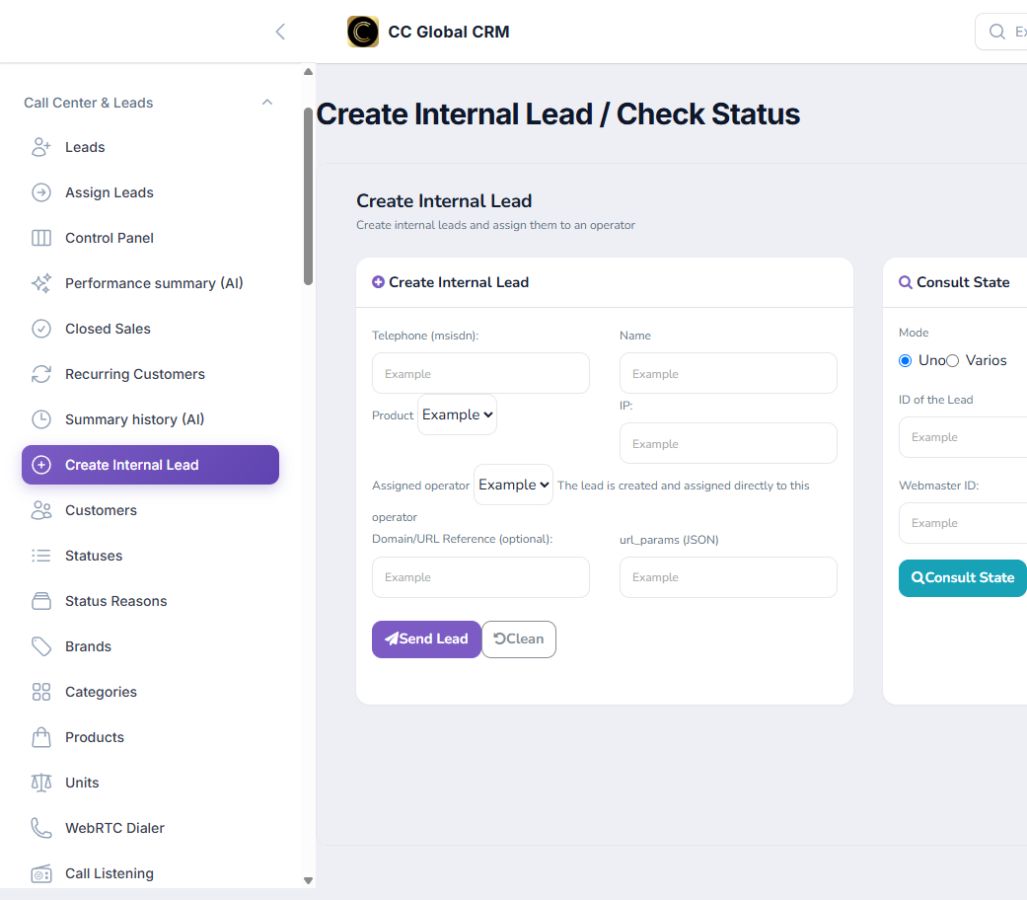
Create an internal lead
Complete phone, product, origin, and operator using test data.
-
Step 4
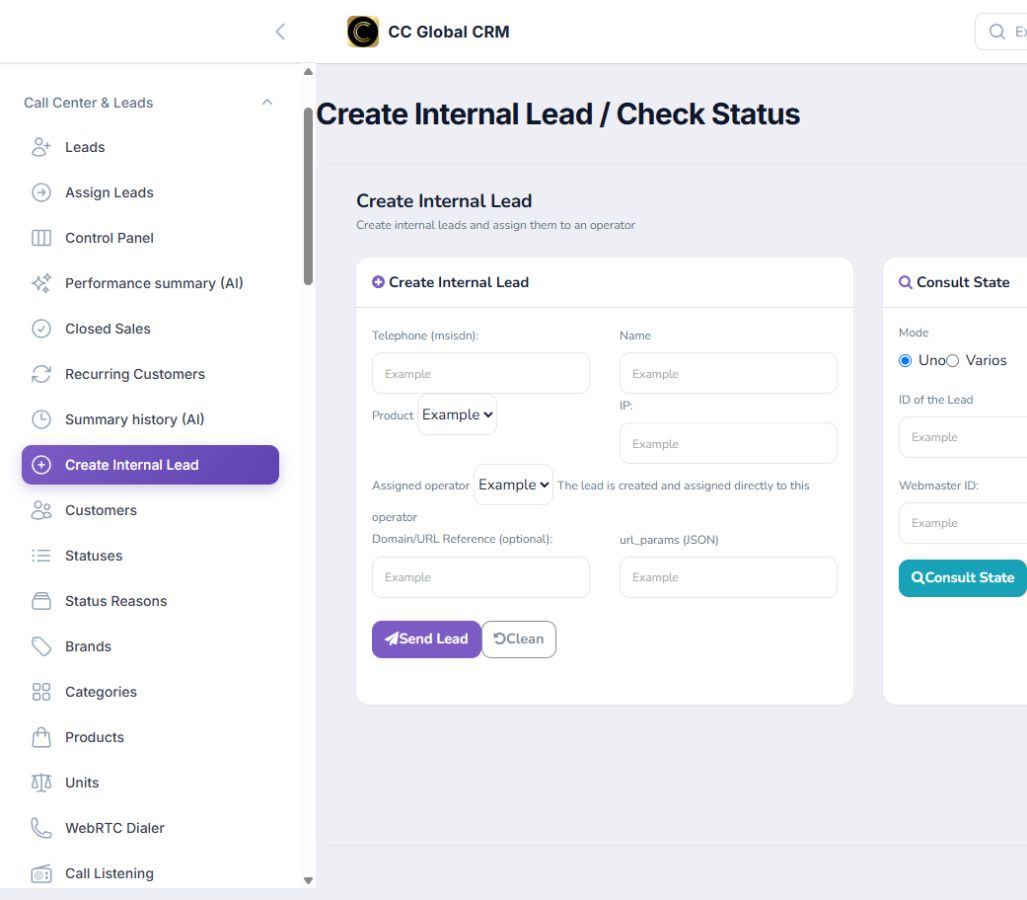
Check the status
Search by lead ID or webmaster ID without revealing real identifiers.